The spec sheet on your headphones lists a string of letters: SBC, AAC, LDAC, aptX Adaptive. Most buyers skip past them. That is a mistake. The Bluetooth codec your devices negotiate determines how much audio data travels from your phone to your headphones, and how much gets discarded along the way. Two pairs of headphones connected to the same phone can sound noticeably different from each other, not because of their drivers, but because of which codec is running between them.
This guide covers every Bluetooth audio codec in current use, what each one does, where it falls short, and which one you should actually be using based on what you own.
What is a Bluetooth codec?
A codec encodes audio at the source device and decodes it at the headphones. The word itself comes from coder-decoder. When you press play on your phone, the audio file is compressed into a format that fits within the bandwidth of a Bluetooth connection, transmitted wirelessly, then decompressed and played back through your headphones. The codec handles both sides of that process.
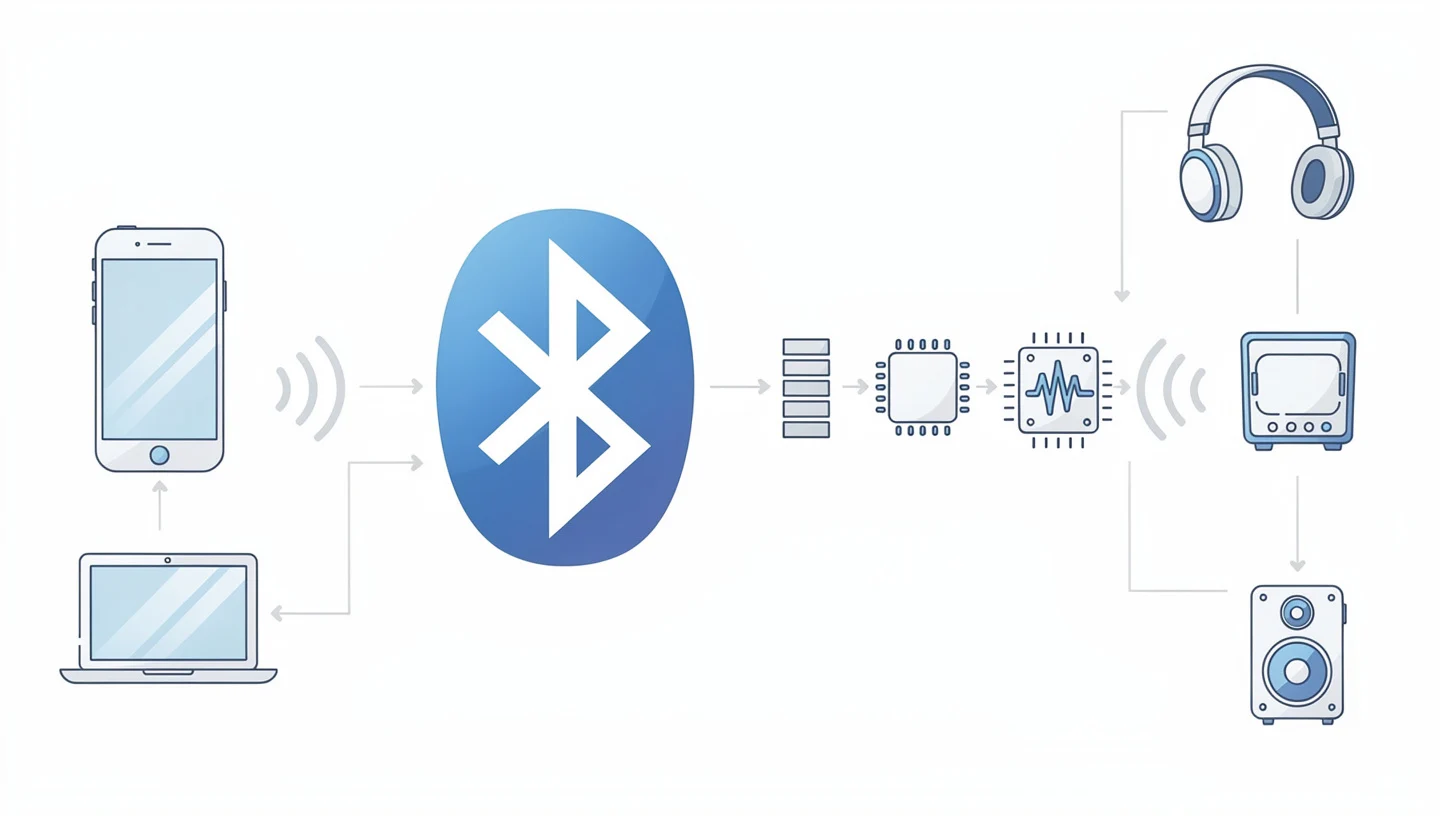
The problem is bandwidth. A Bluetooth connection cannot carry uncompressed audio. A lossless 24-bit/96kHz file requires roughly 4,608 kbps of throughput. The best Bluetooth codecs available today top out at 990 kbps. Everything in between is a compression decision, and different codecs make that decision differently.
How audio compression works
Before getting into the codecs themselves, three terms matter.
- Bitrate (kbps): the amount of audio data transferred per second. Higher bitrate means more data, which generally means better sound quality.
- Sample rate (kHz): how many times per second the audio signal is measured. CD quality is 44.1kHz. Hi-res starts at 96kHz.
- Bit depth: how precisely each sample is measured. CD quality is 16-bit. Hi-res formats use 24-bit.
Lossy compression works by discarding audio information that psychoacoustic models predict the human ear will not notice. An MP3 does this. So does every Bluetooth codec in everyday use. Lossless compression, by contrast, reduces file size without discarding anything. aptX Lossless is the only Bluetooth codec that achieves this at CD quality, and only under specific conditions.
The codec is only half the equation. Codec compatibility requires both the transmitting device (your phone) and the receiving device (your headphones) to support the same codec. If they do not match, the connection falls back to SBC. That fallback happens silently, with no notification, which is why many people assume they are getting the full quality their headphones advertise when they are not.
Why your codec choice matters more than you think
Most people buying headphones focus on driver size, ANC strength, and battery life. Codec support rarely comes up until after purchase, when someone compares their LDAC-capable Sony headphones connected to an older Android phone against the same pair connected to a newer one and wonders why they sound different. The headphones did not change. The codec did.
Beyond sound quality, codecs affect latency and connection stability. A high-bitrate codec pushing the limits of available bandwidth will stutter when the signal weakens. A well-designed variable bitrate codec adjusts on the fly. For video and gaming, latency matters more than fidelity, and the codec determines both.
Every Bluetooth codec, ranked from worst to best
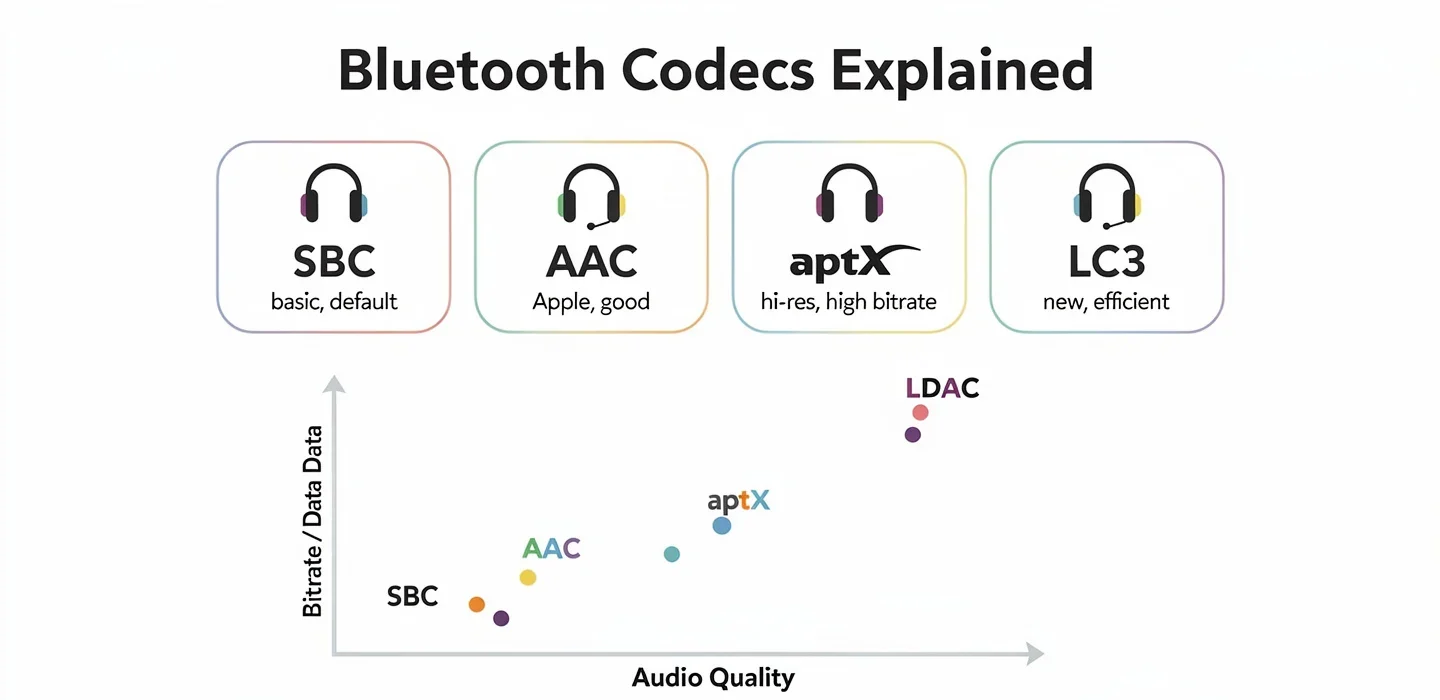
The codecs below are ordered by audio quality ceiling. That ranking changes depending on use case, which is covered in the recommendations section further down.
SBC: the baseline every device supports
SBC, short for Low Complexity Subband Coding, is mandatory in every device that supports the A2DP profile. That universality is its only real virtue. It divides the audio signal into frequency bands, encodes each band independently, and delivers a compressed stream at up to 345 kbps at 16-bit/48kHz.

The ceiling is not the problem. The floor is. SBC at its default settings, which most devices use, delivers considerably worse quality than its maximum spec suggests. Manufacturers have no incentive to push SBC to its limits because higher quality tiers are available. The result is that most SBC connections run at settings closer to 192 kbps than 345 kbps, producing audio that is flat and compressed compared to what any other codec delivers.
SBC has relatively high latency, typically between 100ms and 200ms depending on implementation. For music, this is acceptable. For video sync or gaming, it creates a perceptible delay between the picture and the sound.
Use SBC when: you have no other option, or when you are connecting a device so old that nothing else is supported.
AAC: built for Apple, inconsistent on Android
AAC stands for Advanced Audio Coding. Apple uses it across its entire product line, and it is the native format for Apple Music, iTunes purchases, and YouTube. On an iPhone, AAC bluetooth delivers genuinely good sound quality, handling 24-bit/44.1kHz audio at up to 320kbps with clean, efficient compression.

The complication is Android. AAC performance on Android varies by phone, chipset, and manufacturer implementation. Some Android phones handle it well. Others introduce measurable distortion that makes AAC sound noticeably worse than SBC on those specific devices. This is not a flaw in AAC as a codec but in how certain Android devices implement it. Testing by SoundGuys and others has documented this inconsistency across different handsets.
If you own an iPhone, AAC is your best available option because Apple does not support aptX or LDAC. The implementation is consistent, optimised, and sounds better than SBC in every practical scenario. If you own an Android phone, check whether your specific handset handles AAC cleanly before assuming it is an upgrade.
Latency: lower than SBC, roughly 80ms to 120ms depending on device.
Use AAC when: you are on iPhone, or on an Android device confirmed to handle it well.
aptX: the Android standard SBC replacement
Qualcomm developed aptX as a direct replacement for SBC on Android. It supports 48kHz/16-bit audio at 352 kbps, which is a genuine step up from SBC at equivalent settings. The compression algorithm is more sophisticated, preserving more detail at the same bitrate. According to Qualcomm, aptX is supported in over 11 billion devices, making it the most widely deployed upgrade over SBC.

Standard aptX is a lossy codec. It sounds better than SBC but does not approach hi-res territory. It is not supported on iPhones, and no current Google Pixel phone supports aptX Adaptive, though standard aptX support varies by model.
Latency: approximately 70ms, which makes it usable for video without obvious sync issues.
Use aptX when: you are on Android and want better sound than SBC without needing hi-res quality.
aptX HD: more resolution, same limitations
aptX HD raises the ceiling to 576 kbps at 24-bit/48kHz. That puts it firmly in hi-res audio territory on paper, and in practice it does deliver audibly more detail than standard aptX on good source material. Bass is tighter, transients are sharper, and complex passages retain more texture.

The limitation is compatibility. aptX HD requires both the phone and headphones to support it. Many Android phones with Qualcomm chipsets include it, but not all. Verify both devices before assuming the connection is running at aptX HD rather than falling back to standard aptX or SBC.
Latency: similar to standard aptX, around 70ms to 100ms.
Use aptX HD when: you have a Qualcomm-chipset Android phone and headphones that both list aptX HD support, and you are listening to hi-res source files.
aptX Adaptive: the one that adjusts itself
aptX Adaptive uses a variable bitrate that scales between 276 kbps and 420 kbps depending on the stability of the Bluetooth connection. When the signal is strong and clean, it runs at full quality. When interference increases or you move further from your phone, it compresses more aggressively rather than dropping out. The result is more consistent quality in real-world conditions compared to fixed-bitrate codecs.

It also supports 24-bit/96kHz audio, putting it alongside LDAC for hi-res capability. Latency is lower than LDAC, making it the better choice for gaming and video where sync matters.
The catch is that aptX Adaptive requires Qualcomm’s Snapdragon Sound platform on the phone side. Many recent Android flagships include it, but budget phones and Google Pixels typically do not. Support on the headphone side has grown steadily since 2020.
Latency: as low as 50ms in game mode implementations.
Use aptX Adaptive when: you own a Snapdragon-powered Android phone and headphones that support it, particularly for gaming or video.
aptX Lossless: true CD quality over Bluetooth
aptX Lossless is the only Bluetooth codec that delivers a bit-perfect copy of CD-quality audio (16-bit/44.1kHz) over a wireless connection. It achieves this at 1.2 Mbps when conditions are ideal. When conditions are not ideal, it steps down to aptX Adaptive quality rather than breaking the connection.

Device support is still limited. The codec requires Snapdragon Sound-certified hardware on both the phone and headphone side. Notable devices include the Sony Xperia 1 IV, Sonos Ace, Sennheiser Momentum True Wireless 4, and Cambridge Audio Melomania M100. As of 2026, this list is growing but still represents a small fraction of the market.
Use aptX Lossless when: you have compatible hardware on both sides and are listening to lossless source files. Otherwise, aptX Adaptive delivers equivalent real-world quality at broader compatibility.
LDAC: Sony’s answer to hi-res wireless audio
LDAC is Sony’s proprietary bluetooth codec, and it remains the most widely available path to hi-res wireless audio in 2026. It handles audio up to 32-bit/96kHz at a peak bitrate of 990 kbps, which is approximately three times the data throughput of SBC. Sony describes this as using more efficient coding combined with optimised packetisation of data to push higher quality within the constraints of Bluetooth bandwidth.

LDAC operates across three bitrate modes: 330 kbps, 660 kbps, and 990 kbps. Many phones default to 330 kbps or an automatic mode that drops to 330 kbps more often than users realise. At 330 kbps, LDAC can actually sound worse than standard aptX. To consistently access the full 990 kbps, you need to open Android developer options, locate the Bluetooth audio codec settings, and set LDAC to the highest quality mode manually.
Sony originally developed LDAC as a proprietary format exclusive to its own devices. Since Android 8.0, LDAC has been part of the Android Open Source Project, which means any Android manufacturer can include it without a licensing deal with Sony. This is why LDAC now appears in headphones from Sennheiser, Technics, Edifier, and many others, alongside Sony’s own lineup.
LDAC is not supported on iPhones. It requires an Android device running 8.0 or later, or a dedicated audio player that supports it.
Latency: higher than aptX variants, typically 80ms to 160ms depending on mode and device.
Use LDAC when: you are on Android, your phone handles it well at high quality mode, your headphones support it, and you are listening to hi-res or lossless source files.
If you want to understand how the underlying Bluetooth technology transmits audio before diving into codecs, our Bluetooth guide covers the full picture.
LC3: the future default replacing SBC
LC3, the Low Complexity Communication Codec, is part of the Bluetooth LE Audio specification introduced with Bluetooth 5.2. It is designed as the long-term replacement for SBC and achieves better audio quality at lower bitrates through a more modern compression algorithm. Where SBC requires 345 kbps for acceptable quality, LC3 delivers comparable or better quality at 160 kbps.

The reduced bitrate requirement has a practical consequence: longer battery life for both headphones and source devices, because less data transmitted means less radio activity. LC3 also enables new Bluetooth features like Auracast, which allows a single device to broadcast audio to an unlimited number of receivers simultaneously without pairing.
LC3 is not yet widespread. It requires Bluetooth 5.2 hardware on both the source and receiving device. As of 2026, adoption is accelerating in new releases, and it will likely become the universal baseline within a few years in the same way SBC has been for the past two decades.
Use LC3 when: your devices support Bluetooth LE Audio. At that point, it happens automatically.
Samsung Scalable Codec and Samsung Seamless Codec
Samsung developed its own codec family for use with the Galaxy Buds range. The Scalable Codec adjusts bitrate dynamically from 88 kbps to 512 kbps based on connection strength, prioritising connection stability over consistent audio quality. When the Bluetooth signal weakens, audio quality drops noticeably but the connection holds.
The Seamless Codec, introduced more recently, improves on this with better audio quality at equivalent bitrates. Users who have tested it alongside LDAC report comparable results in day-to-day listening. The significant limitation is that both codecs require a Samsung phone paired with Samsung earphones. They are not available outside that combination.
Use Samsung Scalable or Seamless when: you own a Samsung phone and Galaxy Buds. In that case, it is likely the best option available to you.
Bluetooth codec comparison
| Codec | Max bitrate | Max quality | Latency | Platform | Lossy / lossless |
|---|---|---|---|---|---|
| SBC | 345 kbps | 16-bit/48kHz | 100-200ms | All devices | Lossy |
| AAC | 320 kbps | 24-bit/44.1kHz | 80-120ms | Apple, some Android | Lossy |
| aptX | 352 kbps | 16-bit/48kHz | ~70ms | Android (Qualcomm) | Lossy |
| aptX HD | 576 kbps | 24-bit/48kHz | 70-100ms | Android (Qualcomm) | Lossy |
| aptX Adaptive | 420 kbps (variable) | 24-bit/96kHz | ~50ms | Android (Snapdragon Sound) | Lossy |
| aptX Lossless | 1,200 kbps | 16-bit/44.1kHz lossless | ~50ms | Android (Snapdragon Sound) | Lossless (CD) |
| LDAC | 990 kbps | 32-bit/96kHz | 80-160ms | Android 8.0+ | Lossy |
| LC3 | 320 kbps | 24-bit/48kHz | ~30ms | Bluetooth 5.2+ devices | Lossy |
| Samsung Scalable | 512 kbps | 24-bit/48kHz | ~80ms | Samsung only | Lossy |
How to check which codec your devices are using
Knowing the codec hierarchy is useful. Knowing which codec is actually running between your specific phone and headphones is more useful. Most people assume the best available codec is active. Often it is not.
Checking active codec on Android
Android exposes codec information through developer options, which are hidden by default. To access them:
- Open Settings and go to About Phone.
- Tap Build Number seven times. A message will confirm developer options are enabled.
- Go back to Settings, then System, then Developer Options.
- Scroll to the Bluetooth section. You will see Bluetooth Audio Codec listed with the currently active codec.
- You can also force a specific codec from this menu, which is how you set LDAC to its highest quality mode.
One important note: changing the codec in developer options forces a reconnection. If you set LDAC to 990 kbps and the connection becomes unstable, the phone may drop back to a lower mode automatically depending on your Android version and phone model.
Checking active codec on iPhone
iPhones do not expose codec information to the user. Apple’s Bluetooth stack uses AAC when the headphones support it and SBC when they do not. There is no menu to change this, and no way to see which is active. If your headphones list AAC support and you are connecting to an iPhone, you are getting AAC.
What happens when devices do not share a codec
When a phone and headphones do not have a common codec beyond SBC, the connection defaults to SBC silently. This is the SBC fallback. It happens even if your headphones support LDAC and your phone supports LDAC, if one of several other conditions is not met: the connection is already established over a different profile, a firmware update broke compatibility, or a third-party app is intercepting the audio stream.
If your headphones sound noticeably flat compared to reviews you have read, checking the active codec in developer options is the first diagnostic step.
Which codec should you use?
iPhone users
AAC is the answer, and there is no alternative. Apple does not support aptX or LDAC. Buy headphones that list AAC support (most do), and the connection is handled automatically. The SoundPEATS Cove Pro, AirPods Max 2, and every mainstream pair of headphones on this site support AAC. You are not missing LDAC on an iPhone in any meaningful way, because LDAC is not available to you regardless of which headphones you buy.
Android users
This depends on your specific phone. If you own a Snapdragon Sound-certified device, aptX Adaptive is the best all-round option: good quality, lower latency than LDAC, and a variable bitrate that handles real-world conditions better than LDAC’s fixed modes. If you want the absolute highest audio quality and your phone handles LDAC well at 990 kbps, LDAC is the ceiling for hi-res wireless audio in 2026. Set it manually in developer options rather than relying on automatic mode.
If neither is available, standard aptX is a clean upgrade over SBC and available on a wide range of Android devices with Qualcomm chipsets.
Gamers and video watchers
Latency matters more than bitrate for gaming and video. aptX Adaptive in game mode drops to approximately 50ms, which is low enough that the delay between picture and sound is not perceptible to most people. aptX Low Latency, where available, goes below 40ms. LDAC at high quality settings introduces up to 160ms of latency, which creates a visible sync offset on video that some people find distracting.
LC3, once device support catches up, will likely be the default choice here with measured latency around 30ms.
Audiophiles
LDAC at 990 kbps is the practical ceiling for hi-res wireless audio available across a wide range of devices. It supports 32-bit/96kHz audio and delivers measurably more data than any other broadly compatible codec. aptX Lossless reaches CD quality without compression, but the hardware requirement on both sides makes it a narrow option in 2026.
One honest note: the audible difference between LDAC at 990 kbps and aptX HD at 576 kbps is subtle on most headphones. The drivers in consumer headphones are typically not resolving enough to expose the gap between them. The codec ceiling matters most when the headphones are capable of revealing it.
Common misconceptions about Bluetooth codecs
Higher bitrate always means better sound. Not always. AAC at 320 kbps sounds better than SBC at 320 kbps because it uses a more sophisticated compression algorithm. Bitrate is one factor. The compression method is another. LDAC at 330 kbps default mode can sound worse than aptX at 352 kbps because the LDAC encoder is not being allowed to operate at the bitrate it needs.
Bluetooth 5.3 sounds better than Bluetooth 5.0. The Bluetooth version has nothing to do with audio quality. It governs connection range, stability, and power efficiency. A Bluetooth 5.0 device running LDAC at 990 kbps will sound better than a Bluetooth 5.3 device running SBC. The codec determines audio quality. The Bluetooth version determines how reliably that connection holds.
If my headphones support LDAC, I am getting LDAC. Only if your phone also supports it and the connection has successfully negotiated LDAC rather than falling back. Check developer options on Android to confirm.
Lossless Bluetooth audio exists. aptX Lossless achieves this at CD quality under specific conditions, but it is not widely available. Every other codec in common use today is lossy. LDAC is lossy. Hi-res Audio Wireless certification means high bitrate lossy, not lossless.
Codecs only affect sound quality. They also affect latency, battery life, and connection stability. LC3 delivers comparable quality to SBC at roughly half the bitrate, which translates directly to longer battery life. aptX Adaptive maintains quality in environments where LDAC would stutter.
Frequently asked questions
Does a higher bitrate always mean better sound?
Not necessarily. The compression algorithm matters as much as the bitrate. AAC at 320 kbps outperforms SBC at 320 kbps because it uses more sophisticated encoding. LDAC at its default 330 kbps mode can sound worse than standard aptX at 352 kbps. To get the most from LDAC, you need to manually set it to 990 kbps in Android developer options.
Can I use LDAC on an iPhone?
No. Apple’s Bluetooth stack does not support LDAC or any Qualcomm aptX codec. iPhones use AAC or SBC. Buying LDAC-capable headphones for an iPhone does not give you LDAC. The connection negotiates AAC, which is the best available option on that platform.
What is the difference between aptX and aptX Adaptive?
Standard aptX runs at a fixed 352 kbps. aptX Adaptive uses a variable bitrate that scales between 276 kbps and 420 kbps depending on connection conditions, also supports 24-bit/96kHz audio, and delivers lower latency. aptX Adaptive requires Qualcomm’s Snapdragon Sound platform on the phone side, which limits it to a subset of Android devices.
Is LDAC better than aptX HD?
At its full 990 kbps setting, LDAC carries more data than aptX HD at 576 kbps and supports higher resolution audio. In practice, the difference is subtle on most consumer headphones. LDAC also introduces more latency, which makes aptX HD or aptX Adaptive more practical for video and gaming use.
Does Bluetooth 5.3 improve audio quality?
No. Bluetooth version determines connection range, stability, and power consumption, not audio quality. The codec running over that connection determines audio quality. A Bluetooth 5.0 connection running LDAC sounds better than a Bluetooth 5.3 connection running SBC.
What codec should I look for when buying headphones?
For iPhone: AAC support, which almost all headphones include. For Android with a Snapdragon Sound phone: aptX Adaptive. For Android generally: LDAC if your phone handles it well at high quality mode, otherwise aptX. For gaming and video: aptX Adaptive or aptX Low Latency for the lower latency. If your phone supports Bluetooth 5.2, look for LC3 support as it becomes more widely adopted.